

A comparison of terms of service, privacy policies and data processing agreements. As of 23 March 2026
A lawyer doesn't ask which AI is best. A lawyer asks: which one can I trust with client data?
Most lawyers I talk to already use AI tools. Some knowingly, some quietly, because they're not entirely sure what happens to the data they type into a chat window. I decided to check. Not on tech blogs, not in reviews. In terms of service, privacy policies and data processing agreements. In the documents you accept when you click "Sign up."
This article compares five popular AI tools from the perspective that should matter most to a lawyer: what happens to your data, who has access to it, and on what terms.
All information is based on official vendor documentation in versions applicable within the European Union. As of 23 March 2026.
Before you sign up. Three things you need to know
What "training on your data" means
AI models "learn" from what you type. If you paste a clause from a client's contract and the tool trains on your data, that content may influence answers given to other users. This doesn't mean someone will see your exact contract text. But fragments, patterns, and information can "leak" in unpredictable ways.
Most providers use an opt-out model, meaning training is enabled by default and the user must actively disable it. The opposite is opt-in, where training is off by default and only enabled with explicit user consent. In practice, none of the tools on this list uses a pure opt-in model on consumer plans.
For a lawyer bound by professional secrecy, this is not an abstract risk. It's a regulatory risk.
An individual plan is not the same as a business plan
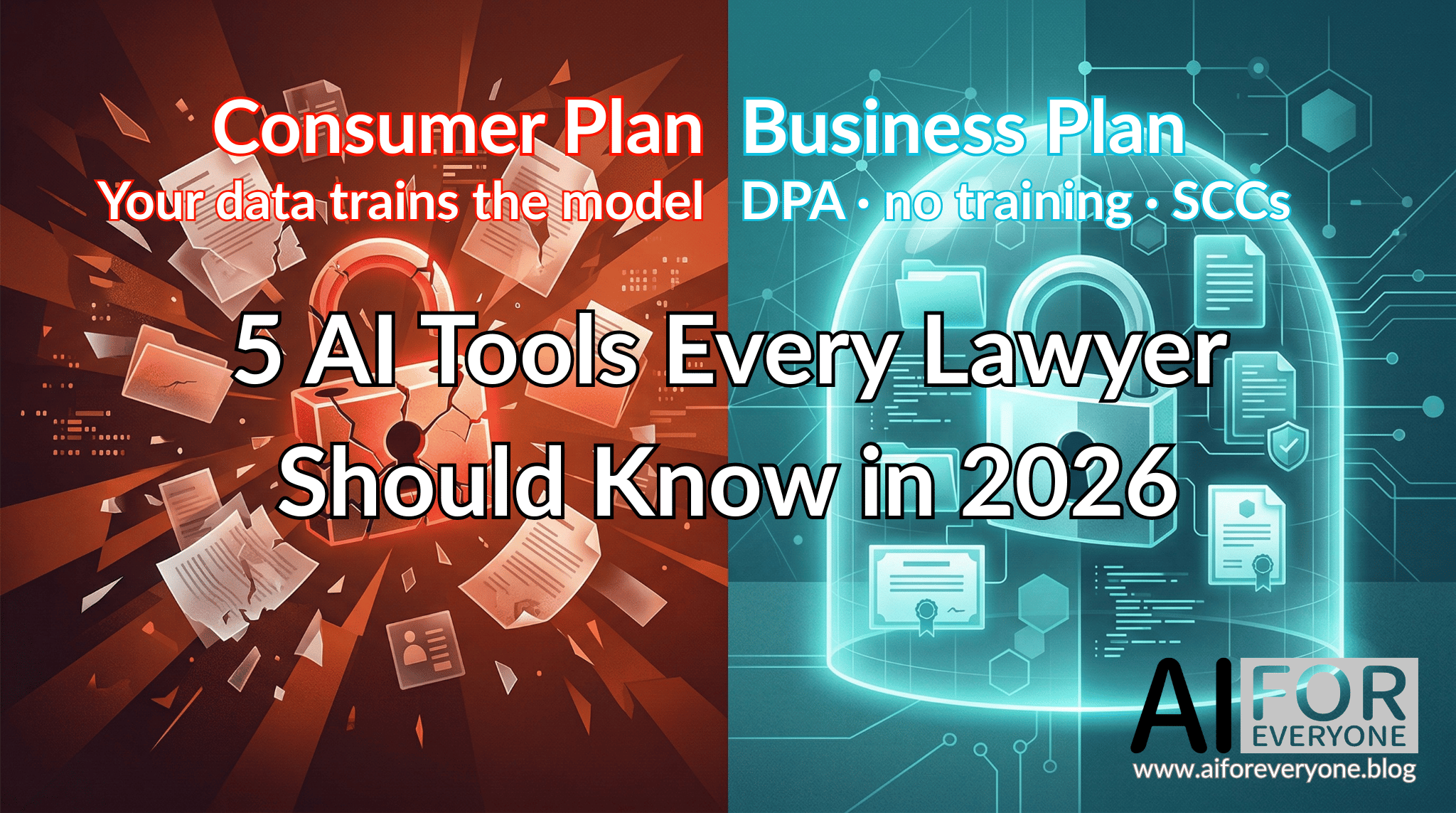
This is the key thesis of this article. You pay $20 a month for ChatGPT Plus and think you're protected? You're not. You're paying for a better model and higher usage limits. Data protection, meaning no training, a data processing agreement, and retention controls, only begins at the business plan level.
This applies to every tool on this list. An individual plan, even an expensive one, does not provide the protection required when working with client data.
GDPR and data transfers to the US
Most AI tools process data on servers in the United States. For a lawyer handling personal data, this means a transfer outside the European Economic Area. The legal basis for such a transfer is a data processing agreement (DPA) containing Standard Contractual Clauses (SCCs), a mechanism approved by the European Commission.
Without a DPA, you have no legal basis for entering a client's personal data into an AI tool. This is not a matter of "best practices." It's a requirement under Art. 28 GDPR.
Five tools. An honest analysis
Below I present five AI tools, each serving a different role in legal work. For each tool you'll find the same information: what it does, what the terms of service say about your data, what plans are available, which plan provides real protection, and what to watch out for. All links lead to official documents, so you can verify everything yourself.
1. OpenAI ChatGPT
What it is: The most widely recognised AI tool in the world. A conversational chatbot based on GPT models.
How lawyers use it: Text work: drafting briefs, summaries, argument analysis, translations. ChatGPT handles iterative language refinement and brainstorming well. It does not have access to national legal databases and does not provide verifiable case citations.
What the terms say about your data:
The terms for EEA users (Europe Terms of Use, updated 16 January 2026) state that on consumer plans (Free, Go, Plus, Pro), your conversations may be used to train models. You can disable this in settings (Settings → Data Controls → Improve the model for everyone), but the option is enabled by default and buried deep in the menu.
After disabling training, your conversations remain in chat history but are not used for model training. Regardless of training settings, OpenAI retains security logs for 30 days for abuse monitoring purposes. Deleted conversations and Temporary Chats are purged from systems within 30 days. The EU privacy policy (EU Privacy Policy, updated 6 February 2026) details retention and transfer rules. The legal entity for EEA users is OpenAI Ireland Ltd.
Data Processing Agreement: OpenAI Data Processing Addendum (effective 1 January 2026). The DPA is automatically included for Business, Enterprise, and Edu plans. It contains SCCs (configuration details in the DPA section below) and a UK Addendum. Does not cover Free, Go, Plus, or Pro plans.
Plans and pricing (USD, pricing page):
| Plan | Price | Training on data | DPA |
|---|---|---|---|
| Free | $0/mo | Yes (opt-out) | No |
| Go | $8/mo | Yes (opt-out) | No |
| Plus | $20/mo | Yes (opt-out) | No |
| Pro | $200/mo | Yes (opt-out) | No |
| Business | $25/user/mo | No | Yes |
| Enterprise | Custom pricing | No | Yes |
Prices in USD as displayed on the official pricing page. OpenAI bills EU customers in EUR at checkout. Business plan price is for annual billing.
Minimum safe plan for a lawyer: Business at $25/user/month (annual billing). No training on data, DPA with SCCs, admin console.
Key strength: Largest ecosystem: GPT Store, integrations, Custom GPTs.
Watch out for: On individual plans, training is enabled by default. Opting out requires a manual change in settings. No EU data residency below Enterprise plan.
2. Microsoft Copilot
What it is: Microsoft's AI assistant that operates on two levels: as a standalone AI chat (Copilot Chat) and as an assistant embedded in Microsoft 365 applications such as Word, Outlook, Teams, Excel, OneDrive and SharePoint. Copilot also offers an AI agent environment that can automate repetitive tasks across the entire corporate ecosystem.
How lawyers use it: Copilot works where lawyers already work. It summarises email threads in Outlook, assists with writing in Word, prepares meeting notes in Teams, and searches documents across OneDrive and SharePoint. At the AI chat level, it allows queries that combine data from multiple corporate sources simultaneously. If your firm runs on the Microsoft ecosystem, Copilot is a natural choice because it doesn't require moving data to a separate tool.
What the terms say about your data:
The Microsoft Services Agreement (MSA, updated 30 September 2025) governs consumer plans. On commercial plans, Microsoft acts as a data processor and does not train on customer content. Microsoft Learn documentation (Data, Privacy, and Security for Microsoft 365 Copilot) explicitly states that prompts, responses and data accessed through Microsoft Graph are not used to train foundation language models. This applies to business plans.
Additional advantage: Microsoft is the only provider on this list to have completed the EU Data Boundary programme in February 2025, guaranteeing that commercial customer data is processed within the EU and EFTA.
Data protection documentation for Copilot: Enterprise Data Protection.
Data Processing Agreement: Microsoft Products and Services Data Protection Addendum (version 1 September 2025). The DPA is automatically included for all commercial M365 plans and requires no separate signing. It contains SCCs and an Additional Safeguards Addendum. The only provider on this list with a DPA available in multiple EU languages, including via microsoft.com/licensing/docs. Important caveat: queries routed through the Bing search engine within Copilot are not covered by the DPA.
Plans and pricing (EUR excl. VAT, EU pricing):
| Plan | Price | Training on data | DPA |
|---|---|---|---|
| Copilot (free) | €0 | Yes (EU: off by default) | No |
| M365 Personal/Family/Premium | from ~€6/mo | Chat: yes / M365 apps: no | No |
| Copilot Business | from €15.60/user/mo* | No | Yes |
| Copilot Enterprise | Custom pricing | No | Yes |
*Promotional price valid until June 2026. Standard price: €18.20/user/mo.
Copilot Business is not a standalone product. It's an add-on that you purchase on top of an existing Microsoft 365 licence. Without an M365 licence, you cannot buy it. In practice, you first purchase an M365 package for your firm (e.g. M365 Business Standard at €10.80/user/month, which gives you full desktop applications, Teams, OneDrive and 1 TB of storage), then add Copilot Business on top. Total cost: €26.40/user/month at the promotional rate (€29.00 at the standard rate).
Minimum safe plan for a lawyer: Copilot Business (€15.60 promotional until June 2026, standard €18.20) + M365 Business Standard (€10.80) = from €26.40/user/month total. No training, DPA in multiple EU languages, EU Data Boundary.
Key strength: Deep integration with the Microsoft ecosystem, covering email, files, calendar, chat and SharePoint in one environment. DPA in multiple EU languages. Data in the EU on commercial plans.
Watch out for: Full integration with the M365 ecosystem requires a paid Copilot licence. Free Copilot Chat allows file uploads and sees the content of a document open in an M365 app, but does not automatically search OneDrive, SharePoint or email. Queries routed through Bing are not covered by the DPA.
3. Google Gemini
What it is: Google's AI assistant, available as a standalone application (web, Android, iOS) and integrated with Google Workspace (Docs, Drive, Gmail, Calendar, Meet).
How lawyers use it: Strategic text work, planning, analysis of large information sets. Gemini integrates well with the Google ecosystem, so if your firm runs on Google Workspace, you have AI directly in the tools you already use.
What the terms say about your data:
This is the most important trap on this list. Google applies one general set of terms (Google Terms of Service, updated 22 May 2024) to all consumer services. In the Gemini Apps Privacy Hub, Google explicitly warns: do not enter confidential information. On consumer plans, even paid ones, your conversations may be read by humans at Google and used for training. This includes the paid Google AI Pro plan at €21.99/month.
Protection only begins with Google Workspace. The Workspace Privacy Hub confirms: on Workspace plans, data is not used for training and is not subject to human review.
Gemini is not a standalone product with its own pricing. It's part of the Google AI package (consumer plans) or Google Workspace (business plans).
Data Processing Agreement: Cloud Data Processing Addendum (CDPA), a consolidated document covering both Workspace and Google Cloud. Automatically included for Workspace plans. Contains SCCs in four configurations (details in the DPA section below) and UK SCCs. EU entity: Google Ireland Ltd. Available in 9 languages.
Plans and pricing (consumer pricing / Workspace pricing):
| Plan | Price | Training on data | DPA |
|---|---|---|---|
| Free (Gemini) | €0/mo | Yes + human review | No |
| Google AI Plus | €7.99/mo | Yes + human review | No |
| Google AI Pro | €21.99/mo | Yes + human review | No |
| Workspace Business Standard | €13.60/user/mo (annual billing) | No | Yes |
| Workspace Business Plus | €21.10/user/mo (annual billing) | No | Yes |
| Workspace Enterprise | Custom pricing | No | Yes |
Consumer plan prices in EUR incl. VAT. Workspace prices in EUR excl. VAT (annual billing). Source: workspace.google.com/pricing.
Minimum safe plan for a lawyer: Workspace Business Standard at €13.60/user/month (annual billing). No training, no human review, CDPA with SCCs.
Under €14 per user per month. This is the lowest cost of entry to full data protection among all tools on this list. Gemini, NotebookLM, Google Docs, Drive, Gmail, Calendar and Meet in one package with a DPA and no training on your data.
Key strength: Lowest business plan price with full data protection. Deep AI integration across the entire Google Workspace ecosystem.
Watch out for: Even the paid consumer plan (Google AI Pro at €21.99) does not provide protection. Identical data policy to the free plan, with human review.
4. Google NotebookLM
What it is: NotebookLM is part of the same Google ecosystem and available within the same packages as Gemini. I discuss it separately because it serves an entirely different role and works exclusively with documents you provide, rather than generating answers from the model's general knowledge.
For a lawyer, this is a crucial distinction: an answer anchored in a source you provided yourself, vs. an answer generated from the model's "memory."
How lawyers use it: You upload a judgment, contract, regulation, or expert opinion, and NotebookLM answers exclusively based on the content of those documents. It doesn't "invent" information. It summarises, compares, finds connections between sources. If the answer isn't in the document, it says it doesn't know.
What the terms say about your data:
NotebookLM has the best default privacy policy of any tool on this list. Even on the free plan, it does not train on your data, unless you voluntarily rate a response (thumbs up/down). In that case, the specific content may be reviewed by humans and retained for up to 3 years. On a Workspace account, feedback is not used for training or reviewed by humans, but is collected for aggregate analysis and bug fixes (retention up to 18 months).
Terms and DPA: the same as Gemini, i.e. Google Terms of Service for consumer plans, CDPA for Workspace.
Plans and pricing: Identical to Gemini. NotebookLM is part of Google AI and Workspace packages.
| Plan | Price | Training on data | DPA |
|---|---|---|---|
| Free (NotebookLM) | €0/mo | No (exception: feedback) | No |
| Within Google AI Pro | €21.99/mo | No (exception: feedback) | No |
| Within Workspace Business Standard | €13.60/user/mo | No | Yes |
Minimum safe plan for a lawyer: Workspace Business Standard at €13.60/user/month (annual billing). Although NotebookLM does not train on your data even on the free plan, the lack of a DPA on a personal account disqualifies it for work with client data under Art. 28 GDPR.
Key strength: Grounding, meaning answers based on provided sources, not on the model's "knowledge." Minimal hallucination risk. Best default privacy policy.
Watch out for: It has no access to legal databases and only analyses what you upload. It does not know local case law unless you provide the documents. The lack of a DPA on the free plan means that despite no training, you formally have no GDPR basis for processing clients' personal data.
5. Anthropic Claude
What it is: An AI assistant from Anthropic, a company founded by former OpenAI engineers, focused on AI safety. Available via browser (claude.ai) and mobile apps.
How lawyers use it: Claude offers three modes of work: Chat (conversation), Cowork (real-time document collaboration), and Code (writing and running code). Known for linguistic precision and the ability to work with long documents. You can upload a multi-page contract and analyse it in full context.
What the terms say about your data:
The consumer terms (Consumer Terms of Service, effective 8 October 2025) apply California law, even for EU users. This is a significant difference from OpenAI, Google and Microsoft, which each designate an Irish entity for EEA customers and apply local law. Anthropic has an Irish entity (Anthropic Ireland, Limited), but it appears only in the DPA for business customers and in the Privacy Policy. The consumer terms point to Anthropic, PBC in California.
Since October 2025, Anthropic presents users with a choice regarding training when creating an account. However, the official pricing page at claude.com/pricing classifies this mechanism as opt-out, meaning the training toggle is on by default and the user must actively switch it off. This is more than ChatGPT (where the option is buried deep in settings), but it is not a pure opt-in. Regardless of the training setting, if you click thumbs up or down on a response, that specific conversation may be used for analysis. If you agree to training, data may be retained for up to 5 years.
On commercial plans (Team, Enterprise), separate Commercial Terms apply, and Anthropic cannot train on customer content.
Data Processing Agreement: Anthropic Data Processing Addendum, automatically included for Team, Enterprise and API plans. Contains SCCs in two key configurations (controller to processor and processor to processor; details in the DPA section below) and UK and Swiss Addendum. EU entity: Anthropic Ireland, Limited (Dublin). The Anthropic Help Center confirms: the DPA is automatically part of the commercial terms and requires no separate negotiation. Does not cover Free, Pro or Max plans.
Plans and pricing (USD, pricing page):
| Plan | Price | Training on data | DPA |
|---|---|---|---|
| Free | $0/mo | Yes (opt-out) | No |
| Pro | $20/mo | Yes (opt-out) | No |
| Max | from $100/mo | Yes (opt-out) | No |
| Team Standard | $25/user/mo | No | Yes |
| Enterprise | Custom pricing | No | Yes |
Prices in USD. Claude bills EU customers in EUR at checkout. Team Standard price is for annual billing, minimum 5 users.
Minimum safe plan for a lawyer: Team Standard at $25/user/month (annual billing, min. 5 users). No training, DPA with SCCs, Commercial Terms.
Key strength: Training choice presented at registration (visible, though enabled by default). Three modes of work (Chat + Cowork + Code). Linguistic precision and long context. Handles multi-page document analysis well.
Watch out for: Pricing in USD only (no EUR pricing page). California-based terms with no separate EU terms. No native EU data residency on its own platform, as EU data residency requires cloud intermediaries (AWS Bedrock or Google Cloud Vertex AI). The Pro plan ($20/mo) is still governed by consumer terms, not business terms.
Comparison table
Data security
| Criterion | ChatGPT | Copilot | Gemini | NotebookLM | Claude |
|---|---|---|---|---|---|
| Training (free) | Yes | Yes (EU: no) | Yes + human review | No* | Yes (opt-out) |
| Training (business) | No | No | No | No | No |
| DPA from plan | Business | Any commercial M365 | Workspace | Workspace | Team |
| DPA includes SCCs | Yes | Yes | Yes | Yes | Yes |
| DPA in EU languages | No | Yes (multiple) | No | No | No |
| EU entity | OpenAI Ireland | Microsoft Ireland | Google Ireland | Google Ireland | Anthropic Ireland (DPA only) |
| EU-specific terms | Yes | MSA | Yes | Yes | No (California) |
Minimum plan price with data protection
| Tool | Plan | Price | Currency |
|---|---|---|---|
| Google Gemini + NotebookLM | Workspace Business Standard | €13.60/user/mo | EUR |
| Microsoft Copilot | Copilot Business + M365 Business Standard | from €26.40/user/mo* | EUR |
| OpenAI ChatGPT | Business | $25/user/mo | USD |
| Anthropic Claude | Team Standard (min. 5 users) | $25/user/mo | USD |
*Promotional Copilot Business price until June 2026 + M365 Business Standard (€10.80). Standard total: €29.00.
**NotebookLM: does not train on data even on the free plan, but without a DPA.
What is a data processing agreement and why does a lawyer need one
Article 28 GDPR requires a data controller to enter into an agreement with any entity that processes personal data on their behalf. When you enter client data into an AI tool, the provider of that tool becomes a data processor. Without a data processing agreement (DPA), you have no legal basis for doing so.
A DPA specifies what the provider does with your data, how long it retains it, how it protects it, and what happens in the event of a breach. Standard Contractual Clauses (SCCs) are a mechanism approved by the European Commission that legalises the transfer of personal data from the EU to third countries, including the US, where most AI queries are processed.
SCCs come in several configurations, depending on the roles of the parties in data processing:
- Controller-to-Processor: You, as the data controller, entrust data to the AI provider, which processes it on your behalf. This is the most common scenario, e.g. a lawyer entering client data into ChatGPT Business.
- Processor-to-Processor: The AI provider passes data further to its subcontractor (e.g. a cloud infrastructure provider). This module governs the chain of sub-processors.
- Processor-to-Controller: The reverse situation, where the processor returns data to the controller in a third country. Less commonly encountered.
- UK SCCs (UK International Data Transfer Addendum): The British equivalent of the SCCs mechanism, required for data transfers from the United Kingdom after Brexit.
In practice, the first two modules matter most for lawyers: Controller-to-Processor (your data goes to the provider) and Processor-to-Processor (the provider uses subcontractors). All DPAs on this list include both.
Each of the four providers on this list offers a DPA, but only on business plans. Links to documents:
- OpenAI: Data Processing Addendum (from 1.01.2026)
- Microsoft: Products and Services DPA (from 1.09.2025), available in multiple EU languages
- Google: Cloud Data Processing Addendum
- Anthropic: Data Processing Addendum
The common pattern: no provider offers a DPA on consumer plans. Free, Plus, Pro, Max, Go, Google AI Pro, none of them gives you the agreement required by GDPR. If you want to legally process client data in an AI tool, you need a business plan.
Three rules for every lawyer using AI
1. Client data only on a business plan with a DPA. An individual plan, even a paid one, does not provide the protection required by GDPR. The cheapest option with full protection is Google Workspace Business Standard (€13.60/user/month with annual billing).
2. Verify every AI response yourself. No provider, without exception, accepts liability for the accuracy of responses. AI can generate a non-existent case citation and present it with full confidence. Professional liability always remains on your side.
3. Read the terms of service of the tool you use. This is the advice a lawyer gives their clients, but rarely applies to their own work tools. Links to the terms of all five tools can be found in this article.
Stay informed
If you're interested in practical AI applications for legal professionals, subscribe to our newsletter for updates on tools, data protection, and upcoming resources.
FAQ
Are AI tools GDPR-compliant?
The tools themselves are neither "compliant" nor "non-compliant" with GDPR. It depends on the plan you use and how you configure it. On business plans with a DPA and SCCs, using AI tools can be GDPR-compliant. On consumer plans, you formally lack the legal basis to process clients' personal data. As of 23 March 2026.
Which AI tool best protects a lawyer's data?
Every tool on a business plan offers a comparable level of protection: no training, DPA, SCCs. Differentiators: Microsoft Copilot is the only one with a DPA in multiple EU languages and an EU Data Boundary. Google NotebookLM is the only one that doesn't train even on the free plan (except for feedback). Claude presents a training choice at registration, though the toggle is on by default. As of 23 March 2026.
Does ChatGPT / Copilot / Gemini / Claude train on my conversations?
On consumer plans: ChatGPT yes, by default (opt-out in settings). Copilot yes, but in the EU disabled by default. Gemini yes, with human review. Claude yes by default, with a training choice presented at registration (opt-out). On business plans, none of these tools trains on client data. As of 23 March 2026.
How much does it cost to use AI safely in a law firm?
The cheapest option with full data protection is Google Workspace Business Standard at €13.60/user/month (annual billing), including Gemini and NotebookLM. Microsoft Copilot Business requires an M365 Business Standard licence (€10.80), bringing the total to €26.40/user/month at the promotional rate. ChatGPT Business costs $25/user/month. Claude Team Standard is $25/user/month. Prices as of 23 March 2026.
Can I enter client data into an AI tool?
Yes, but only on a business plan with an active data processing agreement (DPA). On a free or individual plan (Free, Plus, Pro, Max, Google AI Pro), you lack the legal basis required by Art. 28 GDPR. As of 23 March 2026.
What is a data processing agreement (DPA) and do I need one?
A DPA (Data Processing Addendum) is an agreement required by Art. 28 GDPR when you entrust the processing of personal data to another entity. When you enter client data into an AI tool, the provider becomes a data processor and you must have a DPA with them. All four providers offer a DPA automatically on business plans. On consumer plans, a DPA is not available.
Can AI generate a false case citation?
Yes. All general AI models (ChatGPT, Claude, Gemini, Copilot) can generate non-existent case citations and present them with full confidence. No provider accepts liability for this, as each excludes it in their terms of service. The exception is NotebookLM, which answers exclusively based on documents provided by the user, minimising the risk of hallucinations.
What is the difference between an individual plan and a business plan in terms of data protection?
An individual plan (Free, Plus, Pro, Max, Google AI Pro) gives you a better AI model, higher limits and more features. A business plan (Business, Team, Workspace, Enterprise) additionally gives you: no training on data, a data processing agreement (DPA), Standard Contractual Clauses (SCCs), an admin console and, in some cases, data processing within the EU. For a lawyer working with client data, a business plan is the only GDPR-compliant option.
This article is based exclusively on official vendor documentation: terms of service, privacy policies, and data processing agreements, in versions applicable within the European Union. As of 23 March 2026. Prices quoted in official pricing currencies: EUR (Google Workspace, Microsoft Copilot), USD (ChatGPT, Claude).